
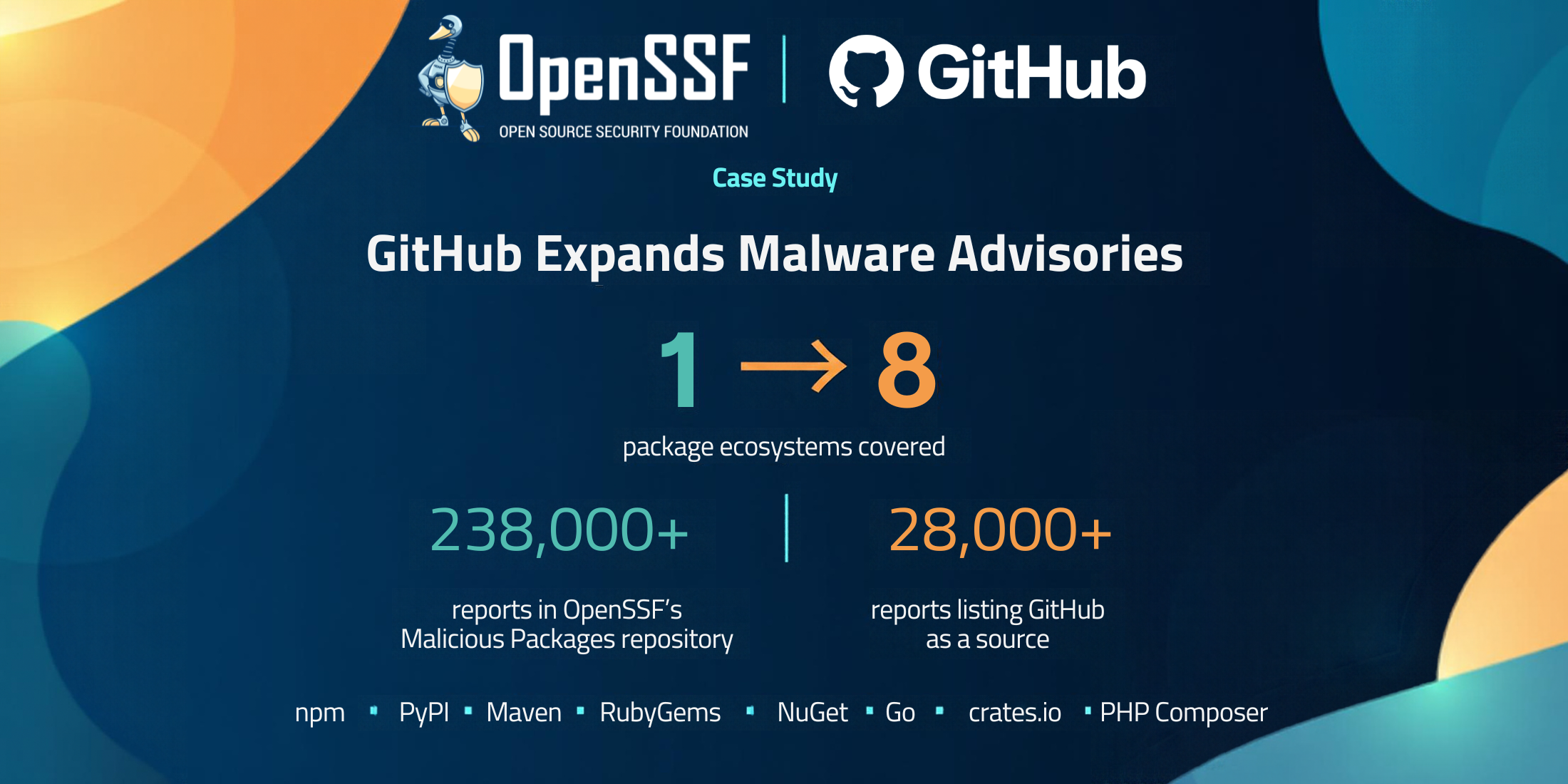
What did GitHub achieve with OpenSSF?
GitHub integrated OpenSSF’s malicious-packages data into its Advisory Database, expanding malware advisories from npm to eight package ecosystems: npm, PyPI, Maven, RubyGems, NuGet, Go, crates.io, and PHP Composer.
What challenge did GitHub need to solve?
GitHub’s malware advisory pipeline previously focused on npm. Expanding its existing detection capabilities across eight ecosystems would have taken years, according to Ankit Kumar Honey, Senior Engineering Manager, leading the Dependabot team in the Supply Chain Security.
Why does broader malware coverage matter?
Malicious packages can steal credentials in both developer environments and build systems. In a related GitHub talk about npm supply chain attacks, Zach Steindler explains how attackers can use malicious installation scripts to steal credentials, then use those credentials to compromise additional packages. This cycle allows an attack to spread quickly, underscoring the importance of making malware information available across ecosystems.
What role did OpenSSF play?
OpenSSF’s Malicious Packages repository is a public, community-driven database of malicious package reports in the Open Source Vulnerability (OSV) format. It launched in October 2023 and now holds more than 238,000 reports, including thousands for ecosystems beyond npm such as PyPI, RubyGems, and NuGet.
Security teams and researchers supply reports through automated feeds and community submissions. Contributors include Amazon Inspector, ReversingLabs, Checkmarx, Google, GitHub, and OpenSSF’s own Package Analysis project.
GitHub has contributed from the start. Its malware data was one of the repository’s three original sources, and more than 28,000 reports now list GitHub as a source.
“OpenSSF has already solved the aggregation problem for everybody,” Ankit Kumar Honey wrote.
How did GitHub integrate the data safely?
GitHub built an importer to validate reports, normalize records, handle withdrawn advisories, and avoid reimporting its own contributions. Safeguards include limits on import batches, traceability to upstream commits, and batch rollback capabilities.
What does this mean for developers using Dependabot?
With malware alerting enabled, Dependabot checks dependencies against the expanded advisory collection and alerts developers when it finds a match. This makes OpenSSF’s community malware data actionable within existing development workflows.
Users who already enabled malware alerts receive the expanded coverage without additional configuration. New advisories can generate alerts as they are published. Developers can also explore malware reports directly in the GitHub Advisory Database using the type:malware filter.
How does OpenSSF support collaboration across package repositories?
The malware advisory integration is one example of shared security work across ecosystems. In the related talk, GitHub describes collaborating through OpenSSF’s Securing Software Repositories Working Group to exchange information with other package repository operators about attack techniques and security capabilities.
Beyond sharing malware reports, OpenSSF also supports collaboration to prevent package compromise.
A great example of this is how trusted publishing was initially deployed by PyPI, which then wrote up implementation guidance with Trusted Publishing for all Package Repositories, published on the Securing Software Repositories Working Group website. This guidance led to the implementation of trusted publishing not only in npm, which GitHub operates, but also Rust Crates, RubyGems, NuGet, and others. Trusted publishing removes the need for long-lived publishing credentials in build pipelines. Together, these examples illustrate how sharing knowledge and infrastructure can help package ecosystems strengthen their defenses.
How can developers enable malware alerts?
Malware alerts are opt-in and available for any repository with Dependabot alerts turned on. For a single repository, turn on Dependabot alerts and then Dependabot malware alerts in its security settings. Organisations and enterprises can roll them out with security configurations. See Configuring Dependabot malware alerts.
Once enabled, Dependabot checks dependencies against existing malware advisories straight away and alerts on new matches as advisories are published. Teams with internal packages that share a name with a malicious public package can reduce false positives with Dependabot auto-triage rules.
Where can readers learn more?
Read GitHub’s original article, “How we took malware advisories beyond npm,” written by Ankit Kumar Honey, for the engineering details, or see the launch announcement for an overview of the expanded coverage.
For broader context, watch Zach Steindler’s talk Supply Chain Attacks on Open Source: What’s Happening, What Can We Do Today, and What’s Next on npm supply chain attacks, including its discussion of collaboration through OpenSSF, trusted publishing, and layered defenses.